EMDR For Clinicians
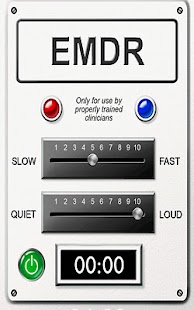
We have designed this application from the ground up to allow for optimum ergonomics and ease-of-use in real world clinical settings.
Following careful analysis of the existing EMDR device solutions (both hardware and software), we believe that we have developed a solution that is both immediately accessible for clinical users *and* provides the necessary flexibility for in-session adjustment.
“EMDR for Clinicians” can be used with any set of headphones, or can be plugged into computer speakers.
It features adjustable frequency tones, synthesized especially EMDR use, as well as an adjustable volume.
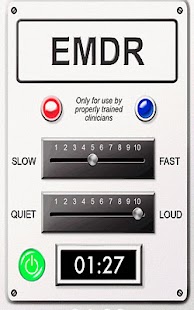
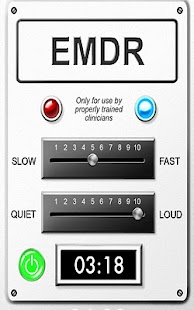
The application displays the duration of each reprocessing set, in seconds, for easier note-taking, and when stopped, the duration counter does not immediately return to zero, allowing the clinician to ergonomically make note of the duration of the reprocessing set.
Background on EMDR: EMDR is a model of psychotherapy that has been demonstrated in many studies to be highly effective at treating the symptoms of trauma and other psychological issues.
EMDR uses a structured eight-phase psychotheraputic approach which addresses the past, present, and future aspects of dysfunctionally stored memory.
During the processing phases of EMDR, the client attends to the disturbing memory in multiple brief sets of about 15–30 seconds, while simultaneously focusing on the dual attention stimulus.
Following each set of such dual attention, the client is asked what associative information was elicited during the procedure.
Note: This application is for use only by clinicians who have received appropriate training in EMDR.
Features:
· “EMDR for Clinicians” can be used with any set of headphones, or can be plugged into computer speakers.
· Adjustable frequency tones designed for EMDR.· Adjustable volume.· Displays the duration of each reprocessing set, in seconds.
Instructions for use:
Please Note: this application is designed only for use by properly trained clinicians.
1.
Purchase “EMDR for Clinicians” application from the Android marketplace.
2.
Launch the “EMDR for Clinicians” application.3.
Plug your headphones (any kind) into the Android device.
“EMDR for Clinicians” can also be used with computer speakers.4.
Set the bilateral tone speed by using the Speed Bar (“Slow/Fast”).5.
Set the bilateral tone volume by using the Volume Bar (“Quiet/Loud”).6.
Give the headphones to the person who will be receiving the bilateral audio stimulation.7.
Press the green Start/Stop button to start the bilateral sounds.
The counter will display the duration of each reprocessing set, in seconds.8.
Press the red Start/Stop button to stop the bilateral sounds.
The counter will continue to display the duration of the last reprocessing set until a new set is started.
this application is related to these searches: lcsw trauma therapist anxiety psychotherapy eft therapy ptsd depression counseling dbt
About EMDR For Clinicians
- Package name (App ID)
- com.ezvid.emdr
- Available on
- Google Play
- Price
- Free
- Version
- v1.1
- Developer
- link-next
Looking for the EMDR For Clinicians APK?
The safest way to get EMDR For Clinicians (com.ezvid.emdr) on your Android device is to install it directly from Google Play — you'll always get the latest official version, automatic updates, and no risk of modified or infected APK files from third-party sites.
Music Features
Enjoy high-quality music streaming and playback features.
Gaming Features
Enjoy immersive gaming experience with various game modes.
Learning Tools
Enhance your learning experience with interactive features.
See EMDR For Clinicians in Action
Frequently Asked Questions
Is EMDR For Clinicians free?
Yes, EMDR For Clinicians is free to download and install on Android through Google Play.
How do I install EMDR For Clinicians on Android?
Open Google Play on your Android phone or tablet, search for EMDR For Clinicians by link-next or tap the Google Play button on this page, then tap Install. The app downloads and installs automatically.
What is com.ezvid.emdr?
com.ezvid.emdr is the App ID (package name) of EMDR For Clinicians on Google Play. Every Android app has a unique package name, and it is the safest way to verify you are installing the official app.
Is EMDR For Clinicians safe to download?
Installing EMDR For Clinicians from Google Play is the safest option: you get the official version published by link-next, verified by Google Play Protect, with automatic updates. Avoid APK files from unofficial third-party sites.
Get EMDR For Clinicians Today
EMDR For Clinicians for Android — free download on Google Play.
Compatible with Android phones and tablets — available on Google Play.
Ask AI about this app
Get instant answers about features, tips and more from popular AI assistants.